Google Veo in Gemini
Visual Walkthrough
How to create 8-second AI-generated videos using Google Veo 2 inside Gemini:

Accessing Google Veo in Gemini: When you log into Gemini, you may see a banner announcing that you can now generate videos with Veo 2.

Click Try Now: Select Try Now from the banner to open the
Veo 2 video creation tool.

Finding Veo 2 in the Menu: In the dropdown menu, look for the newly
added Veo 2 tab.

Opening the Veo 2 Tab: Click the Veo 2 tab to access the video
generation interface.

Veo 2 Information Panel: Veo 2 lets you create short, 8-second videos from text prompts — note that other Gemini chat features are disabled here.

Writing Your Prompt: Enter a descriptive text prompt for the video you
want to create.

Submitting Your Query: Click Submit to send your prompt to Veo 2.

Video Generation Begins: Video Generation Process may take 1–2 minutes.

Video Rendering in Progress: The system processes your request and begins creating your video.

Playing the Finished Video: The completed 8-second video appears
— you can watch it in the preview area.

Downloading the Video: Click Download Video to save the file
to your device.

Video File Details: Your download will be a 720p MP4 file you can use however you wish.


This new site isn't just for advertising. It's to make quick cash with also. Use the "Promote Beast" page and use the "Weekly Tip" page! It's a pure "In & Out" promotion source, and a cash maker on 4 tiers - 1 sale gets you paid 3 times, or paid if your signups refer it. It's your new cash beast...
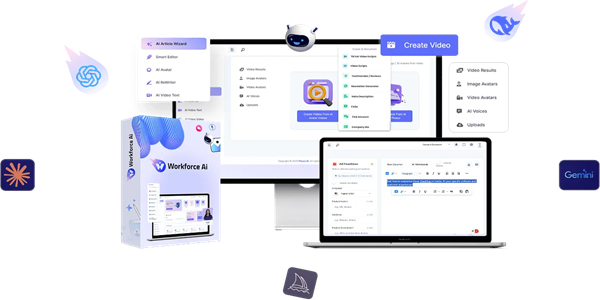
WorkForce AI: The Only AI Platform That Uses DeepSeek, SORA & 10+ Premium AI Models to Create High-Impact Content. AI That Does It All—Transform Text Into Video, Generate AI Spokespersons, Create Viral Reels & Monetize AI-Generated Content Like the Biggest Brands in The World. Why Pay For Multiple AI Tools When You Can Get Everything In One Platform?
Create Videos from Text with VEO2
The video presents a new feature within Google Gemini, specifically focusing on the video generation tool known as VEO2. Upon accessing Google Gemini, users may receive a notification that highlights the introduction of video generation capabilities through VEO2. This notification includes a "Try now" option, which, when clicked, directs users to a specialized VEO2 tab within the platform.
In the VEO2 section, users are empowered to create an eight-second video by providing a text prompt. It is crucial to understand that while users are engaged with the VEO2 feature, they will not have access to other chat functionalities available in Gemini. To begin the video creation process, users must enter their desired prompt or query into the designated input area and then click the "Submit" button. This action triggers the video generation process within the platform.
Users are informed that the rendering of the video may take between one to two minutes before it begins to play. Once the video is successfully generated, it will have a total duration of eight seconds. Users have the ability to stop the playback of the video at any time and can also replay it as needed within the interface.
If users are pleased with the final product, they can download the video by clicking on a link labeled "Download video." The downloaded video file will have a resolution of 720 pixels, providing users with a quality that is suitable for various uses. The video concludes with a brief farewell message, indicating that additional instructional content will be provided in future videos.
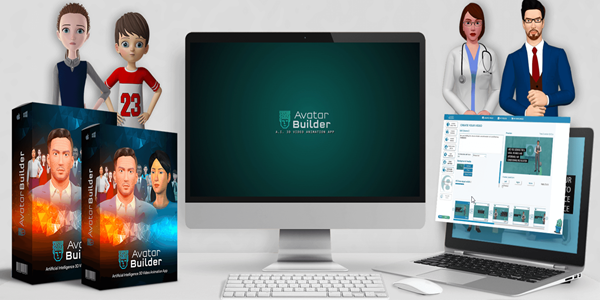
Avatar Builder: Worldclass Technologies & Features At Your Fingertips For Limitless Video Creation. No Technical & Design Skills Needed, No Monthly or Yearly Subscriptions, No Need For Multiple Video Apps. Replace Expensive Spokespersons With 3D Avatars and Automate Video Creation With Artificial Intelligence and Create Long Videos & Presentations.
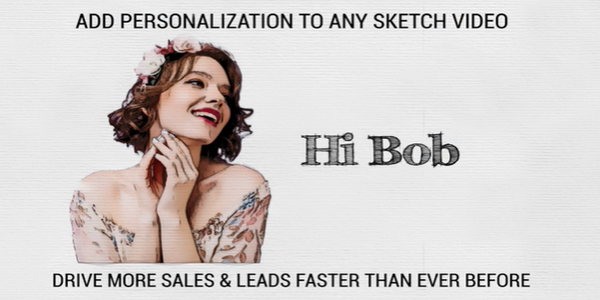
Sketch Personalizer: Automation Technology #1: First-To-Market Vocal Video Personalization App. Bulk create personalized sketch videos for all your clients within minutes. Simply upload an Excel document with your clients’ details and turn it into personalized videos!